
Face map
A point per injection
Toxin & filler
Units or volume
Lot tracking
Per-site traceability
Nothing missed
Batch required
Per-site notes
Depth, technique
Any device
Built for the iPad
Every map
Draft or finalised
Every injection, mapped.
A face map for aesthetic practices. Point, product, units, and batch, filed to the patient record.

A point,
per injection.
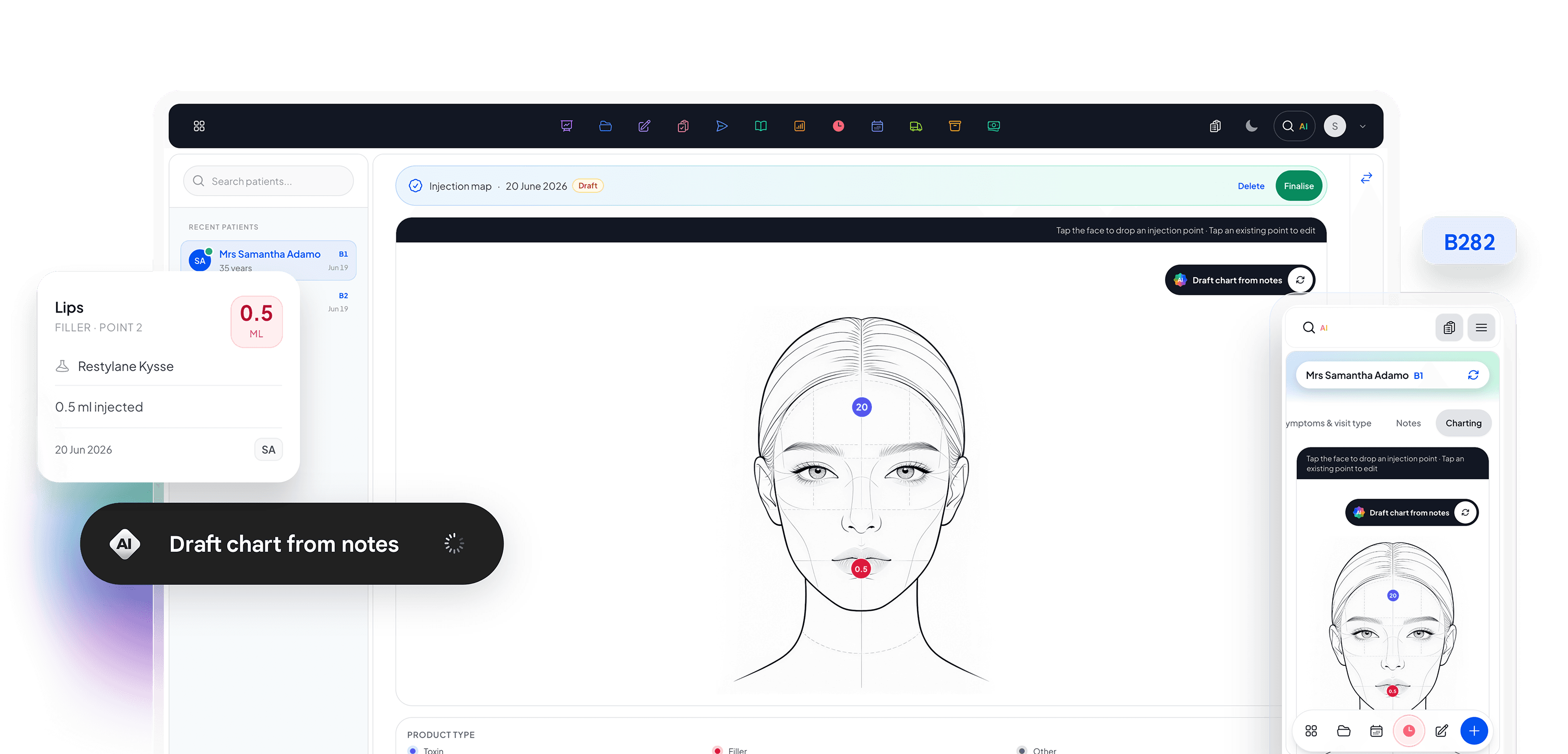
Tap the face diagram to drop a point per injection. Each point holds the area, product, units, and batch number, a complete picture of the treatment.
Product and batch, captured every time.
Tap Add Injection, pick the site, and record the product, units or volume, and batch/lot number. The batch field is required, so every injectable is traceable for recalls and audits the moment it is logged. Every entry saves instantly.
Batch required
Batch and lot numbers are required before an injection saves.
Units or volume
Record units or volume per site, whichever fits the product.
Saves instantly
Each entry saves the moment it is captured.
Every visit,
on file.
Injection maps are versioned per visit and filed to the patient record alongside the aesthetic consent, so a treatment history reads as a narrative, not a stack of loose cards. Draft maps stay editable; finalised maps are locked to the treating practitioner.

Per-visit history
Every visit's charting is preserved exactly as it was recorded.
Draft → Finalised
Work in draft, then finalise to lock the record.
Filed to the record
Finalised charts file straight to the patient record.
Explore more solutions
Every feature works together as part of one connected platform.